
Bullet Journal

What is a bullet journal?

A bullet journal is a combination of a to-do list, a planner, and a diary. The bullet journal is very flexible it can include any variation or amount of the sections most commonly included in a bullet journal.

Sections of a bullet journal

Index

This is a table of contents that allows you to easily find sections of the journal that you want to revisit.

Future log

A Future Log is just a fancy name for a year calendar, this is meant to be used for important events, to-dos, and notes for the months throughout the year.


Tracking pages

These are pages you can set up to track things over time, for example I have a page for books I want to read and movies I want to see.


Monthly log

This is where you can set up an overview of the coming month, you can put things like birthdays, appointments, and events here. You can also include a second page to your monthly log to list your monthly to-dos.


Monthly trackers

A monthly tracker is set up so that you can track habits throughout the month, in my bullet journal I am tracking healthy habits and I have an activity log.


Weekly log

A weekly log is a more detailed version of a monthly log, this could be helpful if you have many appointments or tasks to complete in any given week.

Daily log

A daily log can include everything you have going on that day and can also be used to jot down notes and thoughts you have throughout the day.

More ideas

These are just some of the basic sections of a bullet journal, beyond that you can include a section to cater to your specific needs. To give some examples, here are some things I include in my bullet journal:

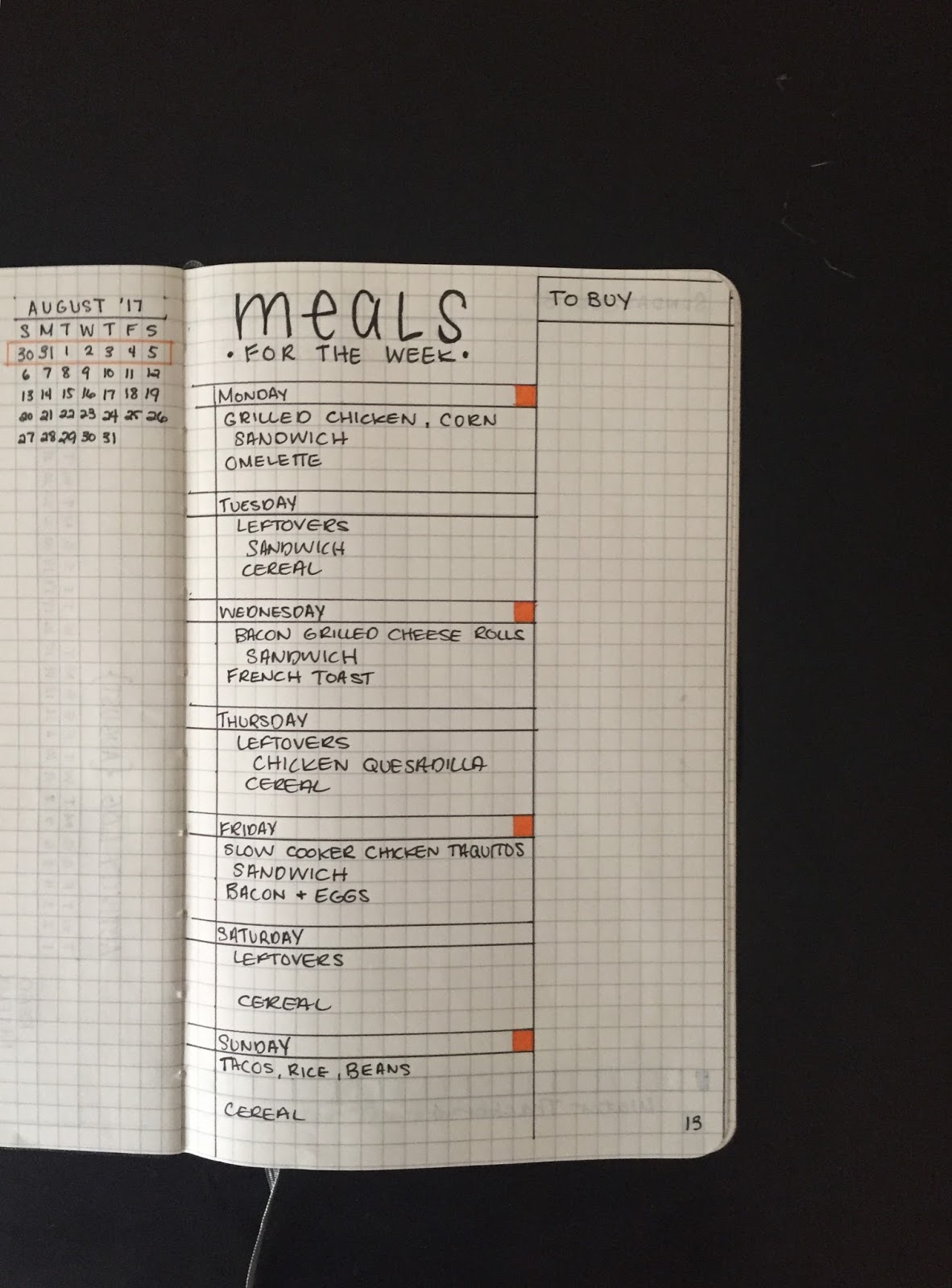
Meal planner

Here I create a weekly meal plan that I use to create a shopping list.

Doodle page

I love to doodle so I included a doodle page in the middle of my daily logs.

Personal projects

I have included pages for my personal projects, here I write down the purpose of the project, my end goal, my process, and any struggles or success I have.


Blog topics

I have a to-do section with different blog topics that I want to explore
The possibilities are endless, your journal could be as complex or as simple as you need.


Comments

Popular posts from this blog

Getting Google Analytics Certified

Get Google Analytics Certified Steps to get Google Analytics Certified Join Google Partners Join Google Partners here Find analytics exam under certifications When you are ready to take the exam this is where you can find it. Enroll in Analytics Academy Find Google Analytics courses here. Take Google Analytics for Beginners course Complete course materials and section quizzes. Once you complete the Google Analytics for Beginners course you can do one of two things, you can either go on to the Advanced Google Analytics course or you can take the exam. I chose to take the exam before completing the Advanced Google Analytics course because I wanted to get a feel for what kinds of questions would be on the exam. Take Google Analytics exam If you need to take the exam again you can continue on to step 6. Take Advanced Google Analytics course Complete course material and section quizzes. Re-Take Google Analytics exam

Creating Prices for Clients

Pricing Projects for Clients Things to know before you create an estimate and give a client a price The scope Functionality Requirements Timeline Ways to make creating estimates and developing prices easier Determine your hourly rate Create a list of how many hours you need to complete each task Save these lists and track your time as you work, to make the next estimate easier Giving Prices to client I would recommend giving your clients a flat rate rather than an hour estimate and an hourly rate If you choose to do it this way you should make sure to give your client a detailed list of what you are providing for them and then give the price.

Prepping for a Client Meeting

Prepping for a Client Meeting When preparing to meet with a client for the first time it is important to be prepared. You can't know everything they need, but you want to make sure to have some idea. Here is a list of things you can do before the meeting to be prepare for a redesign. Communication Chances are you have had some communication with your potential client already, maybe they told you a general idea of what they want or maybe they gave you a lot of details. Either way it's important that you remember this information and have it available to you during the meeting. I would recommend creating a list of the needs and requests they have already given you before the meeting. Research: Part One Part one of research is to spend some time researching what you are redesigning, whether it's a website, magazine, or marketing materials. It's important to have an understanding of what they already have, if it's a website know what pages they have, find the abou...